

How to Automate Your Customer Onboarding Process

Every new customer you sign is a chance to build trust, or a chance to lose them. Onboarding is where that gets decided, usually within the first few days. For most growing businesses, onboarding runs on memory, sticky notes, and someone remembering to follow up. That works at ten customers. At fifty, things slip. At a hundred, you're either hiring just to keep up, or your customers are noticing the cracks. The fix isn't more people. It's automating the repeatable parts of onboarding so your team can focus on what actually needs a human. Here's how to build that system.
- Automate the predictable steps (welcome messages, info collection, reminders, FAQs). Keep humans on judgment calls and exceptions.
- Map your current process before automating anything, most businesses find undocumented steps and quick wins first.
- Match automation to the channel customers actually respond on. For a lot of businesses, that's WhatsApp, not email.
- Track activation (real product/service use), not just checklist completion, it's the metric that predicts retention.
- Tools like FIKA automate onboarding conversations directly inside WhatsApp using AI, so the automation feels like a conversation, not a system.
What "Automating Onboarding" Really Means
Automating client onboarding doesn't mean replacing every human interaction with a bot. It means handing off the repeatable, predictable, time-sensitive steps to software, so they happen the same way, every time. A typical onboarding sequence includes:
- Sending a welcome message and setting expectations
- Collecting information or documents from the customer
- Scheduling a kickoff call or setup session
- Sharing login details, resources, or a getting-started guide
- Sending reminders when a step is left incomplete
- Checking in a few days later to confirm everything is working
- Answering the handful of questions almost every new customer asks
None of that requires a human to type it out manually each time. What it requires is consistency, and that's exactly what breaks down when onboarding depends on someone remembering to do it. Automation handles the repetition. Your team steps in when a customer needs judgment, empathy, or a real conversation.
Why Manual Onboarding Breaks Down as You Grow
A two-person consultancy can onboard its third client from memory. Growth changes that math fast. The usual failure points:
- Repeated questions - New customers ask nearly identical setup questions, eating hours that could go toward client work
- Forgotten follow-ups - A customer stalls halfway through onboarding and nobody notices for a week
- Inconsistent experience - One rep sends a detailed welcome message, another sends one line, the experience depends on who picked up the account
- Onboarding doesn't scale - Doubling customers usually means doubling manual onboarding work, unless something changes
- Drop-off - A two-day wait for a reply is enough for some customers to abandon the process entirely
Recognizing which of these your business faces is the first step. Automation is targeted at these specific breakpoints, not a blanket fix.
Building an Automated Onboarding Workflow: 7 Steps
1. Map your current onboarding process
Before automating anything, write down every step onboarding actually follows today, not the version in your head. Talk to whoever handles it day to day. For each step, ask:
- Is this repeatable across most customers?
- Does it need human judgment, or just accurate information?
- Where do customers usually get stuck or drop off?
This alone often surfaces quick wins. Agencies frequently find that half their "onboarding checklist" is really the same five emails, sent manually, every time.
2. Separate what should be automated from what shouldn't
Automate the predictable. Keep humans on the exceptional.
Good candidates for automation:
- Welcome messages and expectation-setting
- Collecting standard information (business details, access credentials)
- Sending onboarding checklists and resources
- Scheduling links for kickoff calls
- Reminders when a step stalls
- Answering frequently asked setup questions
- Progress check-ins at set intervals
Better left to a human:
- A customer expressing frustration or confusion
- Unusual requests outside the standard process
- High-value accounts where an early relationship matters
- Conversations about pricing, contracts, or complaints
Trying to automate everything makes onboarding feel impersonal right when customers most want reassurance. Automation should be the backbone, real conversation happens where it counts.
3. Build your onboarding sequence and checklist
A basic sequence for a service-based business:
- Day 0 - Automated welcome message + link to book a kickoff call
- Day 0 to 1 - Request for required information or documents, with a checklist
- Day 2 - Reminder if the checklist isn't complete
- Day 3 to 5 - Kickoff call (human-led)
- Day 6 - Automated confirmation that everything is set up correctly
- Day 10 - Check-in asking if they need help
- Day 14 to 30 - Activation check: has the customer actually used the product or service?
A SaaS company's sequence looks different from a consulting firm's, and ecommerce post-purchase onboarding differs again. What matters is the structure: predictable timing, clear next steps, and a defined point where a human takes over. Document this as an actual onboarding checklist your team and your automation can both reference, instead of leaving it in someone's inbox.
4. Choose the right onboarding automation software
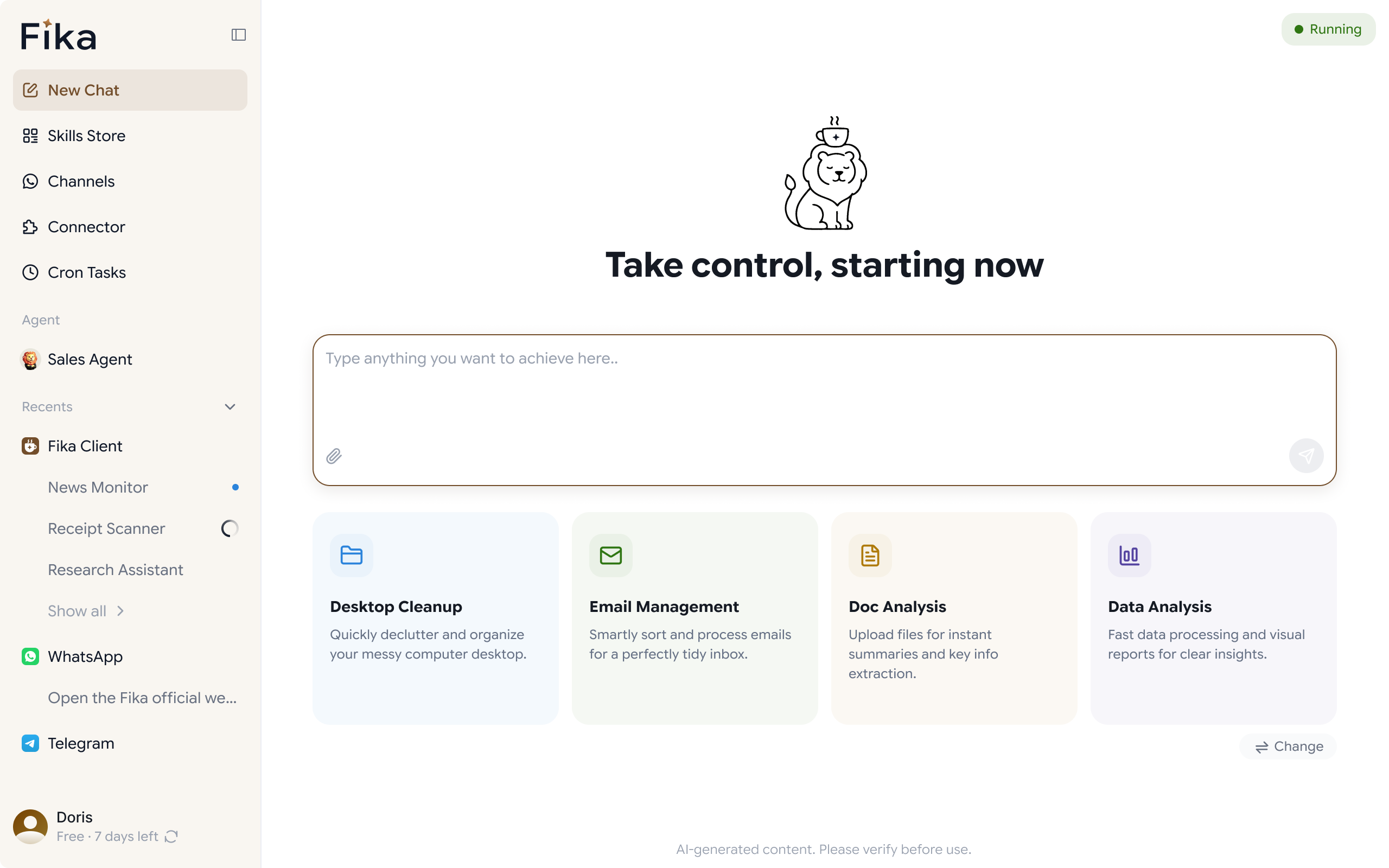
The right tool depends on where customers actually want to talk to you. Automated onboarding emails still have a place, but for time-sensitive steps, WhatsApp consistently beats email on open rates and response times, especially for customer-facing businesses where WhatsApp is the default channel. This is where FIKA fits in. It's an AI-powered desktop assistant built for automating customer communication through WhatsApp. For onboarding, it can:
- Send AI-generated replies to common onboarding questions instantly
- Run automated onboarding conversations that guide customers through setup
- Send personalized follow-ups when a step stalls
- Summarize onboarding conversations so your team has context without re-reading everything
- Assist with scheduling kickoff calls inside the conversation
- Pull answers from your own knowledge base for accurate, on-brand responses
- Handle file sharing and document collection in the same thread
The advantage: automation happens inside the channel customers already use, so onboarding feels like a conversation instead of a separate system to log into.
5. Personalize within the automation
Automated doesn't have to mean generic. Ways to keep it personal:
- Use the customer's name, business type, or plan details to customize messages dynamically
- Branch the sequence based on what they selected at signup
- Reference specific goals mentioned during the sales process
- Let AI-generated replies pull from real customer data instead of sending identical scripts
This is where AI customer support has an edge over basic email automation: contextually relevant responses instead of a rigid, one-size-fits-all sequence.
6. Set triggers for human intervention
Build in clear handoff points, for example:
- A customer replies with negative sentiment or frustration
- A step is skipped or delayed past a set threshold
- A question falls outside the standard onboarding scope
- A high-value account reaches a certain point in the sequence
Automation should know its limits. The goal is a system that handles the routine and flags the exceptions, not one that tries to handle everything and fails quietly.
7. Track activation, not just completion
Finishing your checklist isn't the same as getting real value. Customer activation, the point where someone actually experiences value, is what predicts retention. Track:
- Time to first value
- Completion rate per onboarding step
- Drop-off points
- Response time to onboarding questions
- Satisfaction at the end of the sequence
If customers complete the checklist but don't activate, the automation is working, the sequence itself needs rethinking.
Examples of Onboarding Automation
Marketing agency - Onboarding five clients a month used to take ~6 hours per client gathering assets and access over email. Automating the info request and reminders, and moving to WhatsApp, cut that to under 2 hours of manual work per client.
SaaS company - Many trial users never finished account setup. An automated reminder at 24 hours, plus instant AI answers to setup questions, improved completion rates and cut support tickets for basic questions.
Ecommerce brand - Post-purchase onboarding (confirmation, shipping updates, usage tips) moved from email to WhatsApp automation. Open and response rates rose, freeing the team to focus on customers who needed direct support.
Consulting firm - Automated the kickoff sequence so every client got the same structure and timing, regardless of which consultant handled the account, while consultants still ran the actual kickoff call personally.
The pattern: automation handled the repetitive, time-sensitive parts. People focused on expertise and relationship-building.
Common Mistakes to Avoid
- Automating too soon. A broken, undocumented process just breaks faster once automated. Fix it first.
- Ignoring the channel customers use. An email sequence won't help if customers rarely check that inbox.
- No handoff point for humans. Fully automated onboarding with no path to a person creates frustration fast.
- Treating it as a one-time setup. Drop-off points shift over time. Revisit the sequence quarterly.
- Losing the customer's perspective. Test the sequence from the customer's side occasionally, not just from a dashboard.
Where to Start
You don't need to automate everything on day one. Start with the step causing the most friction, usually the one generating the most repeated questions or missed follow-ups and build from there. If slow responses and repetitive questions are the biggest source of friction in those first critical days, that's often the highest-leverage place to start. FIKA handles exactly that: instant AI-generated responses, automated follow-ups when a customer goes quiet, and conversation summaries that keep your team in the loop, all inside WhatsApp.
Onboarding automation isn't about removing the human element. It's about making sure that element shows up where it actually matters, instead of getting buried under repetitive tasks. If you're ready to see what that looks like, FIKA is worth exploring as a practical starting point.