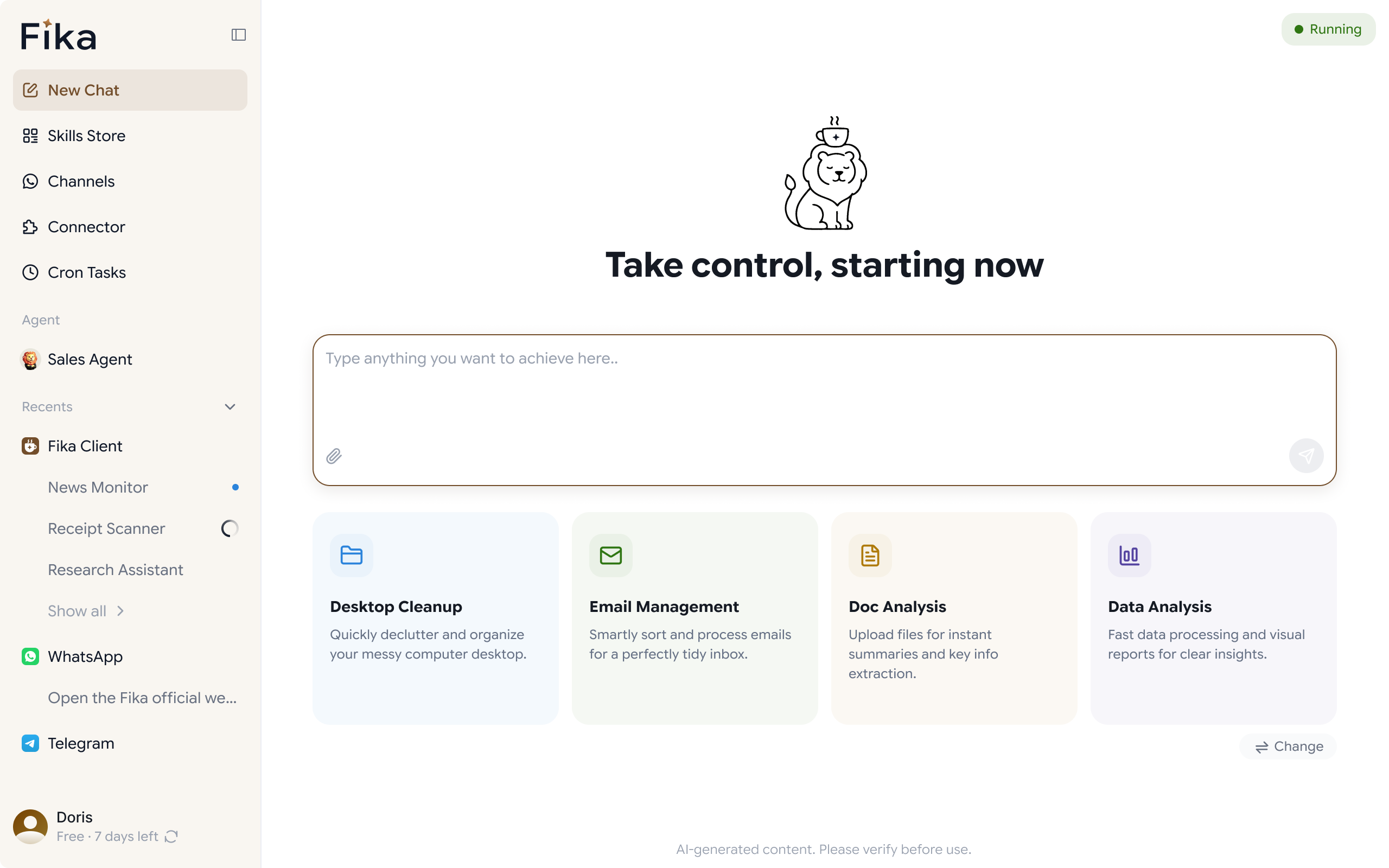

Your AI Assistant that Works from Your Computer

Fika is a full desktop automation agent. You tell it what to do - it does it. No coding. No complex setup.

WhatsApp Agent

Manage WhatsApp customers, reply faster, track follow-ups, and keep sales conversations organized with AI.

  • AI auto-reply / assisted reply
  • WhatsApp customer CRM
  • Follow-up reminders
  • Multilingual support
  • Separate customers from personal chats
Learn more about WhatsApp Agent

Personal Agent


A personal AI agent on your computer that can browse, manage files, connect IM tools, and run scheduled tasks.

  • Operate browser
  • Manage computer files
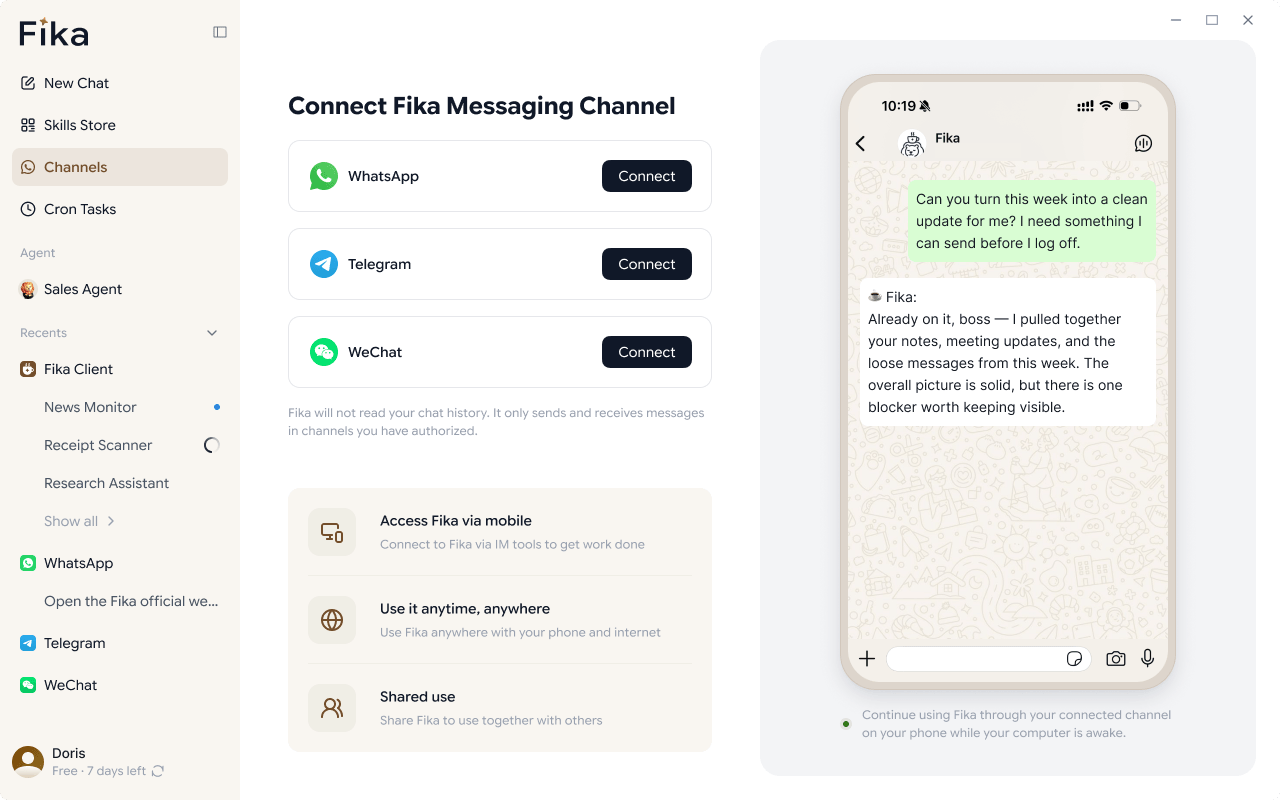
  • Connect IM tools
  • Remote control from phone
  • Scheduled tasks and reminders
Learn more about Personal Agent

WHATSAPP AGENT

Turn WhatsApp Chat into Your Next Sales

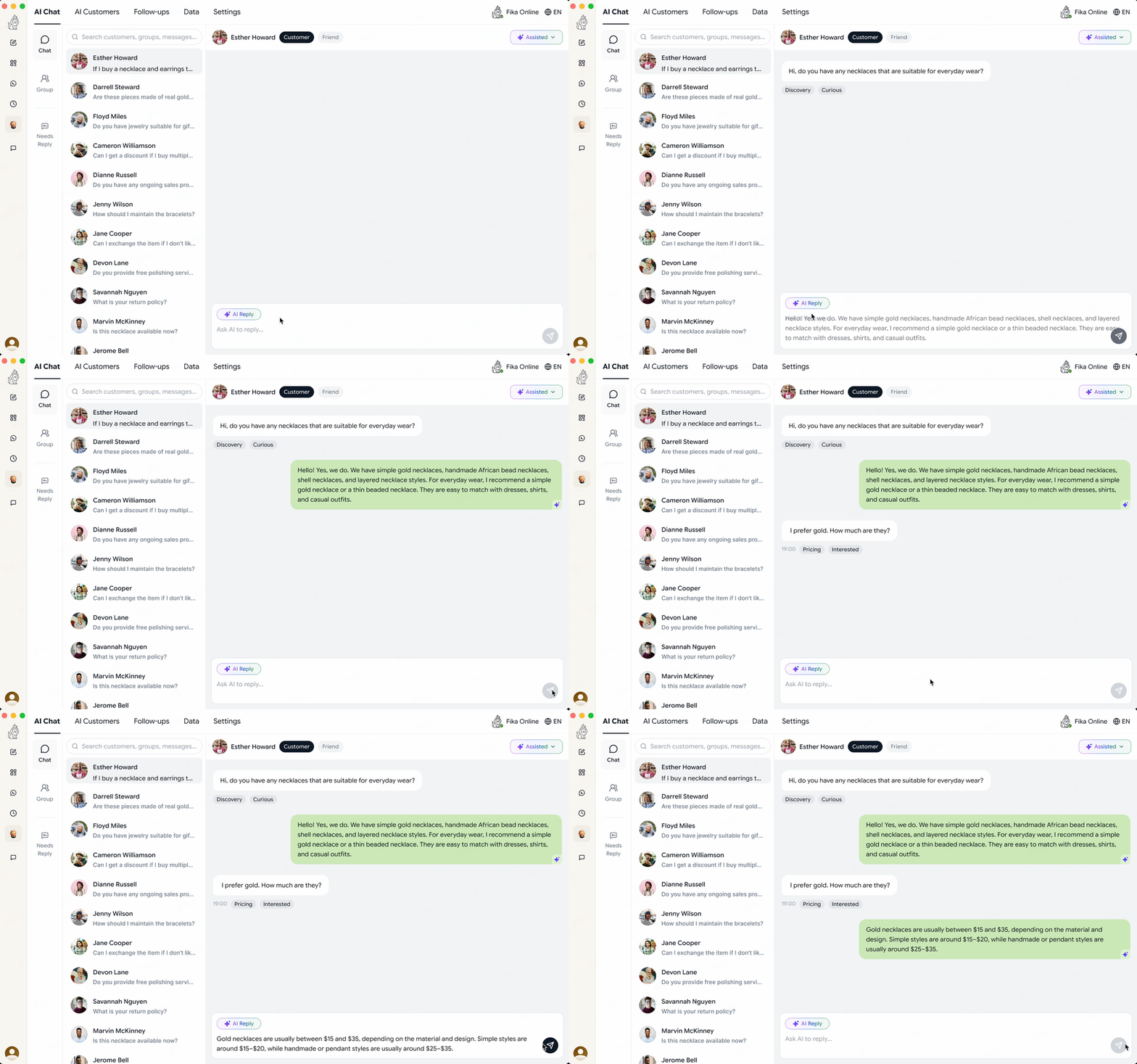
  1. 01 AI Auto-Replies
  2. 02 AI Reply & Translation Assistant
  3. 03 CRM & Follow-Up
  4. 04 AI Customer Insight

PERSONAL AGENT

One Chat to Automate Your Entire Desktop

WHY FIKA

From "Answering Questions" to "Delivering Results"

Ordinary AI stops at conversation, but Fika takes it a step further: it retains context, seamlessly connects tools, and acts as your digital employee to truly get things done locally.

Core Role
Memory
Tool Access
Task Execution
IM Integration
Sales Assistant
Scheduled Tasks
Data Security
Helps you complete tasks and delivers the final results
Persistent memory that remembers your preferences and past tasks
Works with browsers and local desktop tools to handle complex tasks
Executes tasks autonomously and delivers outcomes
Lets you run tasks through WhatsApp, Telegram, WeChat, and more
The sales assistant can reply to customers, manage relationships, and follow up on opportunities
Runs repetitive tasks on a schedule
Data is stored locally on your computer, giving you better control over your own data
AI Chatbot
Only answers questions
Limited to single sessions or short-term memory
None
Only provides suggestions and cannot deliver completed results
None
None
None
Cloud-based storage

HOW IT WORKS

Get started in 3 steps

From download to your first completed task in minutes.

1

Download and install

Available for Windows and macOS. Install and set up Fika in minutes.

2

Log in and start free trial

Create an account and log in to unlock your 7-day free trial.

3

Tell Fika what to do

Describe your task in a message. Fika will work on your computer and deliver the result.

How to setup my WhatsApp Agent?

Train your WhatsApp Agent in just 6 steps

Connect WhatsApp and start using your WhatsApp Agent.

Scan the QR code with your phone to link your WhatsApp account to Fika.

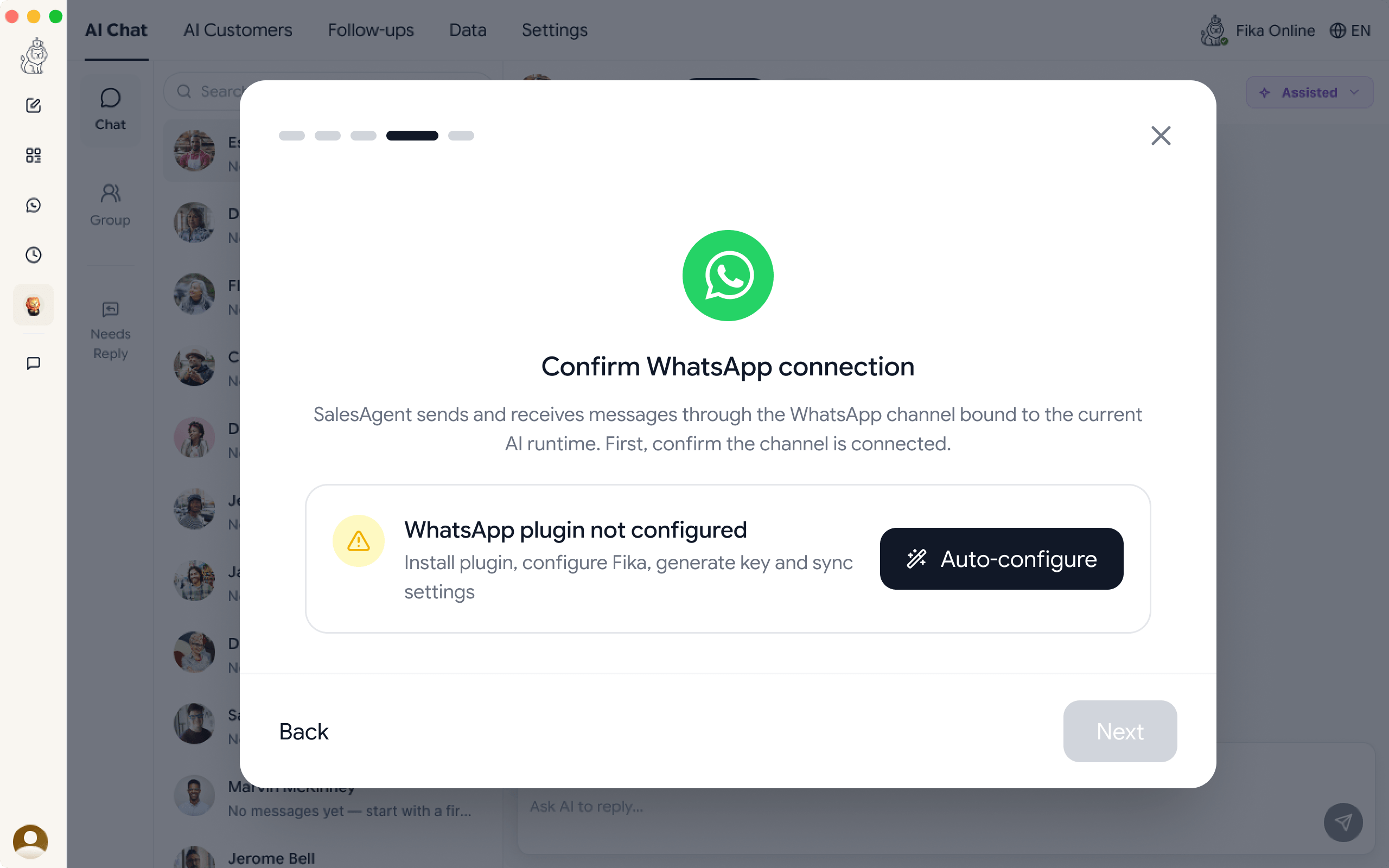
Fika will automatically configure the WhatsApp plugin and restart the client to apply the changes.

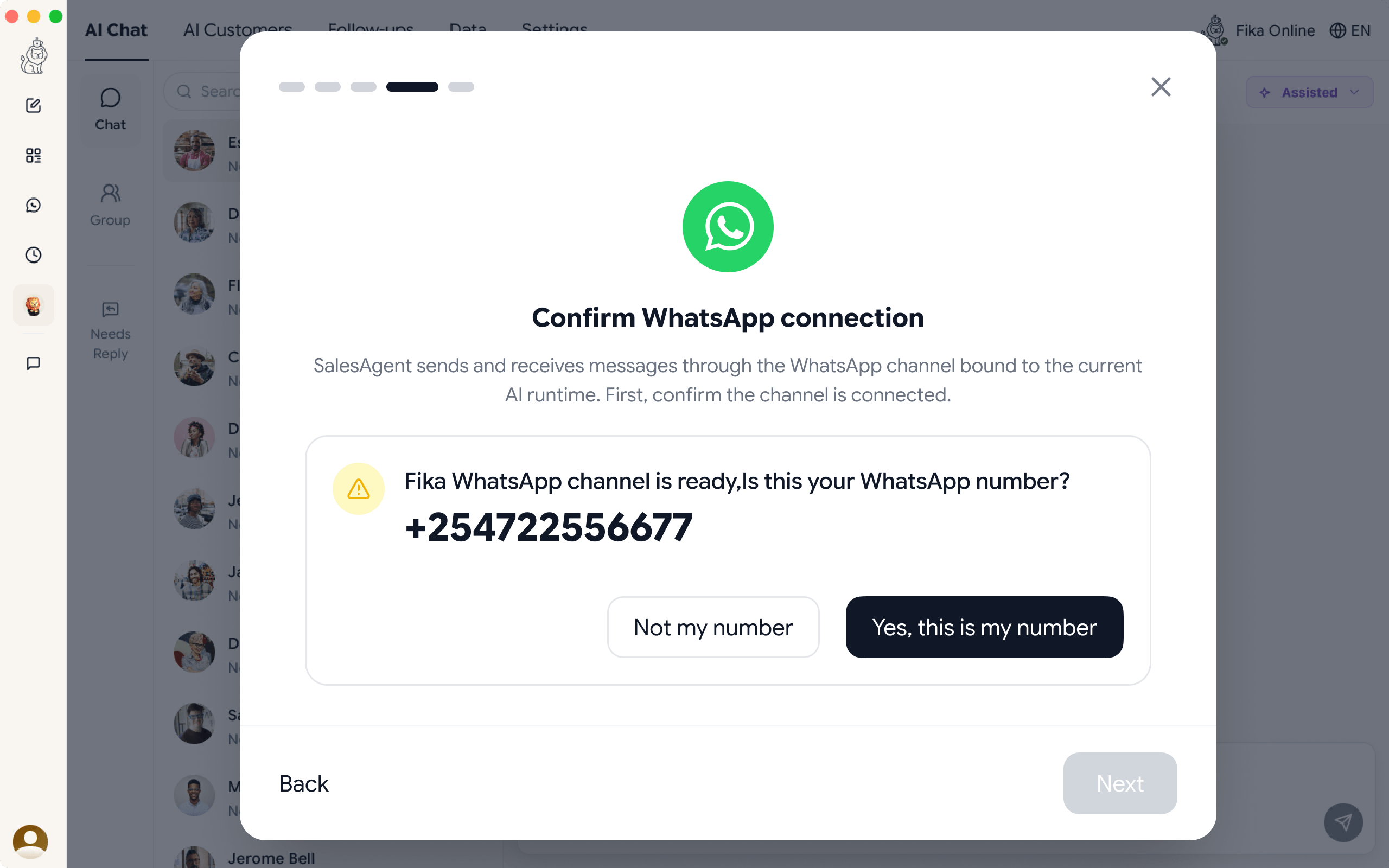
After restarting, Fika will reconnect WhatsApp and confirm whether the linked account is ready.


Set up your AI assistant's role, business context, reply style, and other prompt settings.


Add product info, FAQs, and sales materials, then train them as skills to help your AI assistant give accurate answers.

When customers send messages, your AI assistant will automatically reply based on your instructions and knowledge base.

DATA SECURITY

Your Data Belongs Only to You

Fika is a collaborative assistant that runs entirely on your local computer. Your data stays on your device, so you can say goodbye to the cloud black box.

Fully Local Execution

Tasks and data are processed directly on your PC.

Your Private Local Expert

Securely connects your local apps, messages, and files, all under your control.

Manage Fika Memory

Control what Fika remembers, which tools are connected, and what it can do.

FAQ

Frequently Asked Questions

More
Join the Community

Get Help, Share Feedback, and Stay Updated

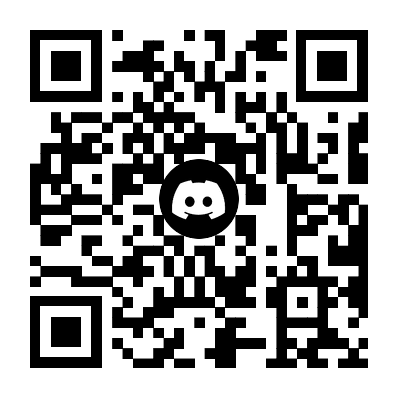
Join our Discord community to ask questions, share feedback, and hear about new updates as you use Fika.

Free to join · No spam · Leave anytime

Scan to Join

Open your phone camera or Discord and scan the code below to join the community.