

What is FIKA AI agent?

If you have ever asked an AI tool to do something for you and it gave you a perfect answer, a beautifully written draft, or a helpful summary, and then left you to figure out what to do next, you are not alone. That is the most common frustration with AI today. The thinking is done. The doing is still on you. Fika is built to close that gap.
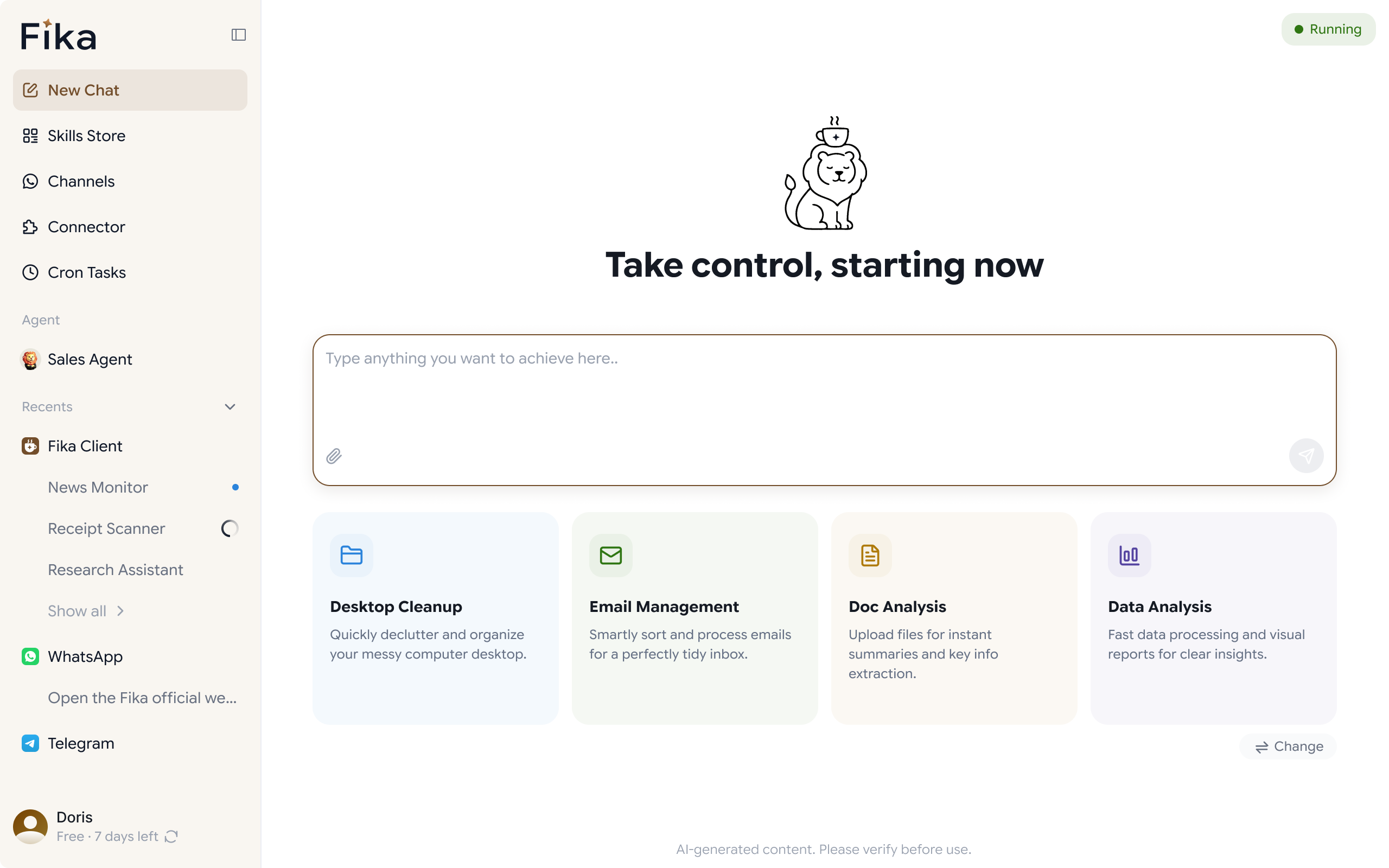
Fika is a desktop AI agent that runs on your computer. Unlike AI tools that only generate responses, Fika takes action. It browses the web, manages your files, searches and summarizes information, sends messages on WhatsApp and Telegram, and helps you get things done, not just tells you how. It is the difference between hiring an assistant who writes reports and one who files them, sends them, and follows up for you.
What is Fika?
Fika is an AI agent that runs locally on your computer, Windows or Mac. When you give it a task, it works inside your actual computing environment: your files, your browser, your desktop applications. There are two modes:
- Personal Agent - handles everyday work for an individual: web research, file management, writing, scheduling, reminders, and more.
- WhatsApp Agent - built for businesses, it manages customer conversations on WhatsApp, responds to inquiries automatically, and helps sales teams follow up with leads without being online around the clock.
Both agents are grounded in your local environment. Your data stays on your machine. Your files are not uploaded to the cloud. Fika works where you work.
What can Fika do that ChatGPT cannot?
ChatGPT, Gemini, and similar tools are excellent at generating text. They can answer questions, write emails, summarize documents, and draft plans. What they cannot do is act on what they produce. The output stays in the chat.
Fika can move beyond the chat. Here is what that means in practice:
- It browses and researches for you.
Rather than reading ten tabs yourself, you can ask Fika to find information online, extract the key points, and organize them into a document you can actually use. It does not hand you links, it delivers finished work.
- It manages your files.
Create, rename, move, and organize files and folders on your computer. Find documents by name or content without manually searching. Prepare batch file operations that would normally take an hour in a few minutes of setup.
- It works inside your browser.
Open pages, extract information, fill forms, navigate multi-step web processes. Fika can work through your browser the same way you would, but on your behalf.
- It connects to WhatsApp and Telegram.
Send messages, manage conversations, set reminders that ping you through your phone, and maintain connections with clients or contacts even when you are away from your desk.
- It follows through.
Set a reminder and Fika will follow up. Ask it to send a message on WhatsApp and it sends it. Tell it to prepare a weekly report and it drafts, formats, and saves it, ready for you to review, not to copy-paste.
Desktop AI vs Cloud AI: Why the Difference Matters
Most AI tools run entirely in the cloud. You send your data to a server, the AI processes it, and it sends back a response. That model works well for many tasks, but it comes with real trade-offs.
When AI runs on your desktop instead, several things change:
- Your data stays local.
Files, messages, documents, and browser activity do not leave your machine. Fika processes what it needs to locally, which matters if you handle sensitive client data, proprietary documents, or personal information.
- It has context of your environment.
Cloud AI knows what you type. Desktop AI knows your files, your folders, your browser tabs. That context makes its actions more accurate and more useful because it understands your actual setup, not a generic version of it.
- Latency is lower for local operations.
When Fika manages your files, opens your browser, or runs a local process, it does so directly on your machine without roundtripping to a remote server. These are not abstract advantages. They translate to real differences in how Fika performs everyday tasks compared to a cloud-only AI tool.
What does using Fika actually look like?
It helps to think in concrete scenarios rather than feature lists. Here is what using Fika feels like for different kinds of work.
Research and information work
You are preparing for a client meeting and need to quickly understand a competitor's recent product update. Instead of opening six browser tabs and reading for forty minutes, you ask Fika: "Can you research [Competitor X]'s latest product announcement and summarize the key points?"
Fika browses the relevant pages, reads the content, pulls the important details, and presents you with a clean summary, ready to use in your preparation or share with your team.
File and document management
You have a folder of contracts, invoices, or reports that need to be organized. You describe what you want, sort by date, rename using a consistent format, move anything outdated to an archive folder. Fika handles it. You review the changes, approve anything that needs a human eye, and move on.
Customer follow-up for small businesses
A potential customer messages your WhatsApp Business account after hours. The WhatsApp Agent reads the message, understands what the customer needs, and either responds immediately with the right information or flags the conversation for follow-up when you are back online. No lead is missed. No response is delayed until the next business day.
Reminders and task follow-through
You tell Fika to remind you to follow up with a client in three days about a proposal. You do not need to set a calendar event manually. Fika tracks it and follows up with you or sends the message on your behalf if you have set it to do so.
Who is Fika for?
Fika is designed for people who are productive but constrained by time and for businesses that need to do more without hiring more people.
- Solopreneurs and freelancers who handle their own admin, client communication, and operations and need a tool that reduces the manual overhead of running a one-person business.
- Small business owners who use WhatsApp as a primary customer channel and need to respond faster without spending their entire day replying to messages.
- Professionals with repetitive admin workloads researchers, analysts, marketers, operations staff, who spend too much time on tasks that follow a pattern but still require human oversight.
- Anyone disappointed by AI that stops at answers, if you have tried ChatGPT or similar tools and found that knowing what to do is not the same as having it done, Fika is built for exactly that frustration.
How to get started with Fika
Getting started takes a few minutes. Download Fika for Windows or Mac, install it on your computer, and launch the Personal Agent or WhatsApp Agent depending on what you want to use it for. You do not need to configure servers, connect APIs, or write code. The agent runs on your desktop and is ready to work once it is open.
If you are not sure where to start, try giving it a simple task first, something like "find and summarize the key points from [a URL]" or "remind me to follow up with [contact] in two days." Once you see how it works, you will quickly find the tasks where it saves you the most time.