

How to reply faster on WhatsApp and win more Sales

Customers do not like waiting for replies, especially when they are ready to buy. On WhatsApp, a customer may message your business to ask about a product, price, delivery, payment, or order update. If the reply takes too long, they may lose interest, forget about the purchase, or move to another seller who responds faster.
This is why learning how to reply faster on WhatsApp is important for businesses that depend on customer messages to generate sales. Fast replies do not only make your business look more professional. They also help you keep conversations active, answer questions before customers change their mind, and reduce missed sales opportunities.
For small businesses, online sellers, shops, and service providers, WhatsApp is often one of the main sales channels. Managing WhatsApp customer messages well can make a big difference in how many inquiries turn into orders.
Why fast WhatsApp replies matter for businesses
Customers usually message a business because they need something. They may want to know if a product is available, how much it costs, whether delivery is possible, or how to complete payment.
When the reply is fast, the customer is more likely to continue the conversation. When the reply is delayed, the customer may start looking elsewhere.
Fast WhatsApp replies help businesses:
- Keep interested customers engaged
- Answer questions before customers lose interest
- Build trust with new customers
- Reduce missed sales opportunities
- Improve the customer experience
- Make the business look active and reliable
- Move customers closer to placing an order
Replying quickly is one of the simplest WhatsApp sales tips, but it is also one of the most important.
A customer who gets a helpful reply at the right time is more likely to buy than one who waits for hours without an answer.
Why businesses struggle to reply faster on WhatsApp
Many businesses want to reply faster on WhatsApp, but it becomes difficult when messages increase. At the beginning, it may be easy to respond to every customer manually. But as the business grows, more people ask about products, pricing, availability, delivery, payments, and support.
Businesses often struggle because:
- Messages come in throughout the day
- The same questions are asked repeatedly
- Customer chats are not organized
- One person is handling too many conversations
- Product and price information is not easy to find
- Follow-ups are forgotten
- The team does not have a clear reply process
- Some chats get buried under new messages
When WhatsApp customer messages are not managed well, potential buyers can easily be missed. A slow reply does not always mean the business does not care. Sometimes it means the business does not have a proper system for handling chats.
Organize your WhatsApp customer messages
The first step to replying faster is organizing your chats. When all messages are mixed together, it becomes hard to know who is waiting, who has paid, who needs delivery details, and who needs a follow-up.
Businesses can manage WhatsApp chats better by grouping customers based on the stage of the conversation.
For example, you can organize chats into groups such as:
- New inquiries
- Product questions
- Waiting for payment
- Paid orders
- Delivery updates
- Follow-ups
- After-sales support
This makes it easier to know which customer needs attention first. For online sellers, this is especially useful because one customer may be asking about a product, another may be ready to pay, and another may be waiting for delivery confirmation. Organized chats help your team respond faster and avoid losing important conversations.
Use quick replies for common questions
Many WhatsApp customer messages are repeated. Customers often ask the same questions every day:
- Is this available?
- How much is it?
- Do you deliver?
- What are your payment options?
- Where are you located?
- What time do you open?
- How long does delivery take?
- Can I see more photos?
Typing a new answer every time can slow you down. Quick replies help you respond faster on WhatsApp by saving common answers and using them when needed.
For example, instead of typing your delivery information from scratch, you can save a reply like:
Hi, yes, we offer delivery to [Location]. Delivery fee is [Amount], and estimated delivery time is [Timeframe].
This saves time and keeps your answers consistent. Quick replies are one of the most useful WhatsApp Business tips for small businesses because they reduce repetitive typing and help teams respond more efficiently.
Create WhatsApp reply templates
Reply templates are ready-made messages that can be adjusted for different customers, so your team is not starting from scratch every time a similar question comes in.
They are useful for product inquiries, pricing, delivery, payment, order confirmation, and follow-ups. For example, a simple order confirmation template could say:
Thank you for your order. We've received your details and will confirm once payment is complete.
The key is to personalize each message slightly, using the customer's name, product, or order detail, so the reply still feels personal rather than copy-pasted.
Set clear response time expectations
Sometimes you cannot reply immediately. That is normal, especially for small businesses where the same person may be handling sales, packing, deliveries, and customer messages. What matters is setting clear expectations. If your business cannot reply instantly, let customers know when they can expect a response.
For example:
Hi, thanks for messaging us. We’ve received your message and will reply shortly. Please share your product or order details so we can assist you faster.
This helps customers feel acknowledged, even when your team is not available immediately. Setting expectations is a simple way to improve WhatsApp customer communication and reduce frustration.
Use auto replies when you are busy or away
Auto replies are helpful when customers message outside working hours or when the team is busy. They do not replace real customer service, but they help confirm that the message has been received.
A good WhatsApp auto reply should be short and clear. For example:
Hi, thanks for messaging us. We're currently away but will reply as soon as we're back. For urgent orders, please share your details and we'll respond as soon as possible.
Auto replies help businesses reply faster on WhatsApp by giving customers an immediate response, even before a team member is available. This can prevent customers from feeling ignored.
Prioritize customers who are ready to buy
Not all messages have the same urgency. Some customers are only asking general questions. Others are ready to place an order, pay, or confirm delivery. To manage WhatsApp chats better, prioritize messages from customers who are closer to buying.
High-priority messages may include:
- “I want to order”
- “How do I pay?”
- “Is this available today?”
- “Can you deliver now?”
- “Send payment details”
- “I have paid”
- “Can I get this in medium size?”
These customers should be answered quickly because they are already interested. A fast reply at this stage can help close the sale. This is one of the most important WhatsApp sales tips for online sellers and small businesses.
Keep product and price information easy to access
Slow replies often happen because the team has to search for information. If product prices, stock availability, delivery fees, or payment details are not easy to find, responses take longer. To reply faster on WhatsApp, keep key information organized.
This may include:
- Product names
- Product prices
- Available sizes or colors
- Stock status
- Delivery locations
- Delivery fees
- Payment details
- Return or exchange policy
- Business hours
When this information is ready, the team can answer customer messages faster and more accurately. This also reduces the risk of giving different answers to different customers.
How Fika helps businesses reply faster on WhatsApp
As customer inquiries increase, responding quickly can become a challenge. Businesses often spend time answering similar questions about products, pricing, availability, delivery, and payments throughout the day. Even when the answers are simple, repeatedly typing them can slow response times.
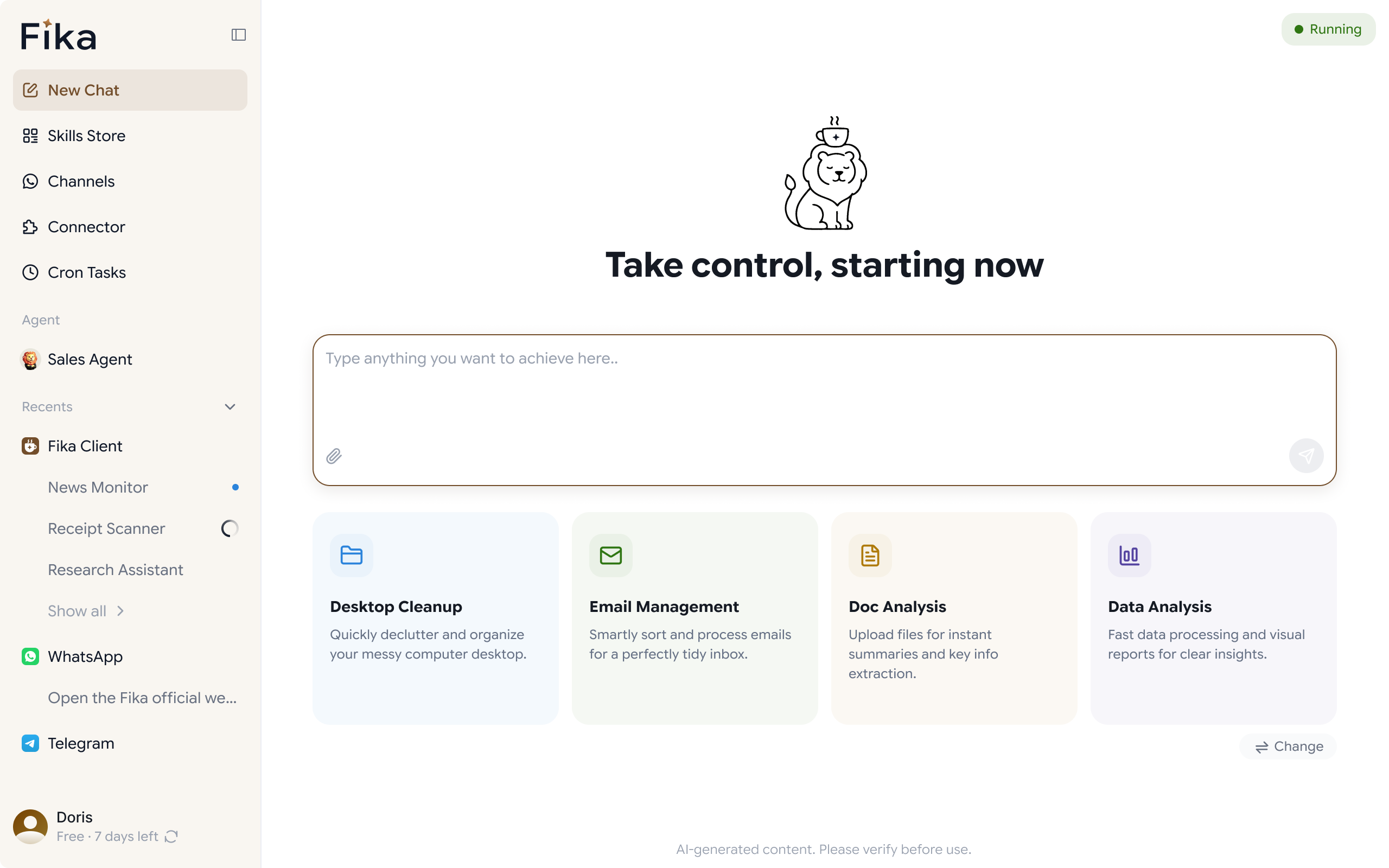
Fika helps businesses reply faster on WhatsApp with AI-assisted replies. Instead of creating every response manually, businesses can use AI-generated reply suggestions to answer customer questions more efficiently while keeping responses relevant to the conversation.
This can help teams spend less time typing repetitive messages and more time helping customers who need detailed assistance. Faster responses also help keep conversations active, especially when customers are comparing options or are ready to make a purchase.
For businesses that rely on WhatsApp for customer communication, this offers a practical way to handle more inquiries without increasing the workload on the team
Conclusion
Learning how to reply faster on WhatsApp can help your business improve customer service and win more sales. Customers want quick, clear, and helpful answers. If your business takes too long to reply, interested buyers may move on. The best way to manage WhatsApp customer messages is to stay organized, use reply templates, set clear response expectations, prioritize ready-to-buy customers, and keep product information easy to access.
These WhatsApp Business tips can help small businesses, online sellers, and shops manage WhatsApp chats better and reduce missed sales opportunities. For businesses that want to make WhatsApp communication even easier, Fika WhatsApp agent can help organize conversations, improve replies, and respond to more customers without losing track of who needs an answer.